Key takeaways ✨
|
Table of contents:
- The subject line and how to grab attention
- The pre-header, preview text, and getting them right
- The email header and making a strong first impression
- The headline and pulling readers in
- The greeting and personalizing your approach
- The body content and keeping readers engaged
- The visuals and using them effectively
- The call-to-action (CTA) and creating ones that work
- The footer and building trust
- Deliverability and technical considerations for email performance
- Testing and continuous improvement to make every send smarter
- Collaboration and creating clear workflows
- Bringing it all together
Email marketing is a craft that blends strategy, creativity, and a dash of technical savvy. In today’s crowded digital world, a thoughtfully built email can mean the difference between inspiring action and being ignored. Whether you’re revamping your campaigns or refining what already works, understanding the full anatomy of an effective email will help you connect, engage, and deliver results your leadership will love.
With this guide, you’ll learn how to dial in every layer from design to code, so every campaign performs in the real world. Ready for a teardown and rebuild that’ll make your emails irresistible and every send a little smarter? Let’s jump in.
1. The subject line
Your subject line is the gatekeeper. If it doesn’t turn heads, you may as well write your send in invisible ink. That might be a bit dramatic, but inboxes are jungles of to-dos, sales pitches, and AI summaries, so you’re fighting for attention every time.
It’s all about the balancing act. You need to pique curiosity without being cagey because clarity beats cleverness—most of the time. One way to spark interest is by appealing to the reader’s emotions, like a fear of missing out or hope for a quick solution. Why? People have been trained to ignore headers like “Re: Marketing Webinar,” but they might perk up for “3-minute tweak to fix your Q2 pipeline.”
Sprinkle a little mystery in, but don’t have your audience guess at value. “Don’t miss this” is vague, but “Ready to triple response rates?” is direct and intriguing. Try referencing industry pain points, regional trends, or even company milestones relevant to your segments.
Tips for improving your subject lines
Don’t let your subject lines become a set-it-and-forget-it moment. This is your first, and sometimes only, shot to make someone care. Test bold angles, paying attention to what works and what doesn’t. Consider these approaches when crafting your email subject line:
- Keep it conversational: write like you’re messaging a friend or colleague, not relaying legal fine print.
- Front-load key info for mobile: since mobile inboxes show less of your subject line than a desktop does, make sure the first 35-40 characters hook readers.
- Incorporate smart personalization: go beyond the first name. Try merging in relevant details like job title, past purchases, or recent interactions to create a connection.
- Brainstorm with AI: AI tools can help you generate different subject lines and test more angles faster. Just remember—AI is great at suggesting ideas, but you’re the one who knows your brand and audience best.
- Test, measure, and repeat: use data to validate your efforts. Platforms like Validity Engage make A/B testing easy and even show which lines nudge rates up or down.
2. The pre-header and preview text
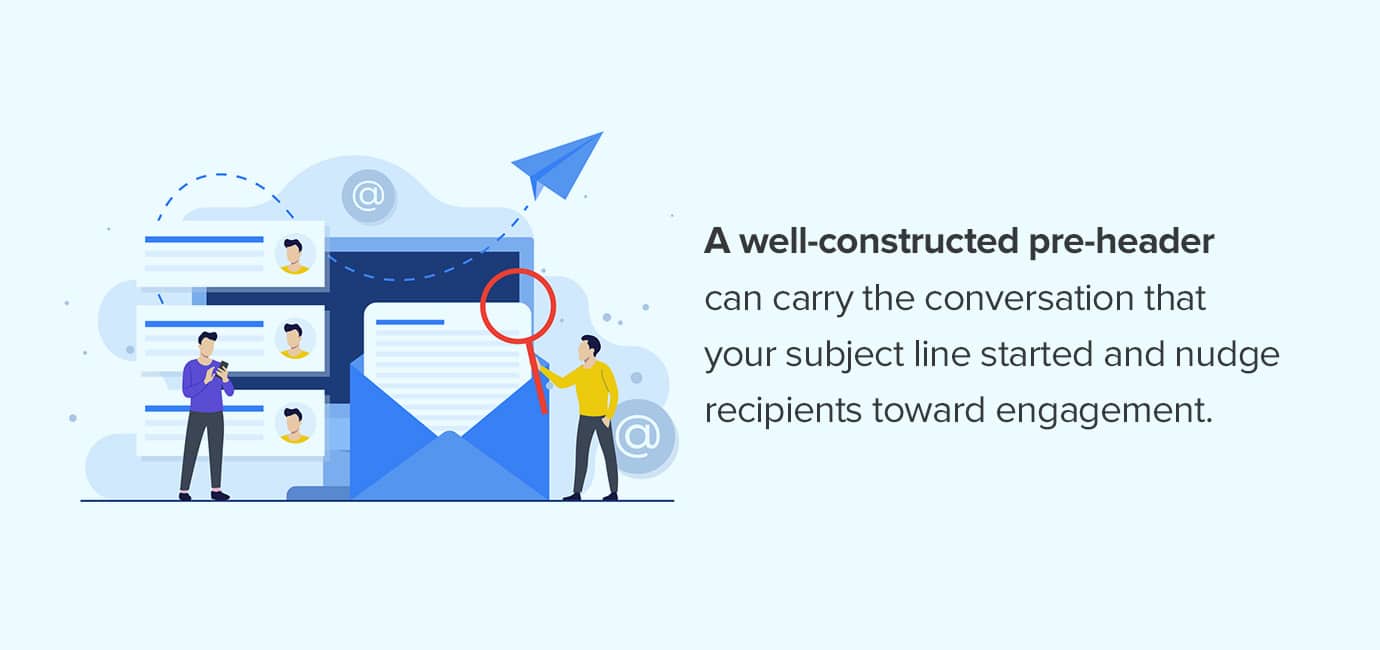
Your pre-header is the underrated real estate of the inbox. Think of it as the co-pilot to your subject line, showing up right next to it or just underneath across most modern email clients. Yet, all too often, teams miss the mark with boring messaging that doesn’t add value. A well-constructed pre-header can carry the conversation that your subject line started and nudge recipients toward engagement.
A strong pre-header:
- Extends the subject line: if your subject promises, “How finance teams innovate in 2026,” your pre-header might tease, “With proven templates that leaders use inside.”
- Answers questions: did your subject line hint at a pain point? The pre-header can deliver the why or how without repeating the same words.
- Conveys value: use this space for a payoff: “Download the full report now” or “Secure your early access ASAP.”
- Reinforces relevance: mention details like past behavior or interests to make the message feel personal and boost engagement.
How to nail it—and not lose to truncation
To make sure your hard work actually shows up in the inbox, keep these tactics in mind before you hit send:
- Consider character count: most inboxes start truncating pre-headers at 35-75 characters. Test to discover where your key message gets cut off.
- Avoid redundancy: do more than echo your subject line. Each line should add something new, layered like good marketing copywriting.
- Use tools smartly: email previews in platforms like Engage help you check both what shows and what gets lost across platforms and mobile devices.
- Consider using white space: just because you have available character counts doesn’t mean you have to use them. Sometimes space stands out more than copy in an inbox.
3. The email header
The moment someone pops open your email, your header sets the tone. This is your brand handshake, signaling immediate familiarity or instant confusion. A strong header quickly reassures readers that your email is relevant and trustworthy, even before they read a single line of copy. Consider focusing on these critical elements:
- Sender name: should recipients see your company or a real human? The best results usually come from clear, brand-aligned sender names. If you’re going with a person, make sure your audience knows them, or they have credibility. For most brands, using your company name is the safest, most recognizable approach.
- Reply-to address: avoid “no-reply” because it signals to subscribers that their replies or feedback are not welcome. It hurts your relationship, often making subscribers wonder why they should engage, and even your deliverability.
- Logo: make sure your logo is compatible with your email header. Use web-appropriate sizing and, if possible, a transparent background. Also, test for speed because a header image that lags might lose attention and look unprofessional.
- Dark Mode pitfalls: Dark Mode is more common than ever, especially for readers who stare at screens all day. Transparent or black logos can disappear entirely on dark backgrounds. Use file types and styling that render cleanly across both light and dark interfaces.
4. The headline
Once you won the open, your headline performs the crucial task of pulling the reader in. This is the primary message, signaling to readers that they’re in the right place. Writing a headline that works requires understanding your segment and good copywriting skills—or savvy AI use. Here’s what to prioritize:
- Distinct headline copy: stand out with a larger, bolder font that visually separates your header from the rest of the email.
- Highlight benefit over feature: if your headline only states what you’re offering, you’ll get skimmers. Instead, show the value.
- Keep it short and mobile-friendly: strive for five to 10 relevant words. Brevity boosts retention, especially on phones.
- Make it accessible to all: use H1, H2, and H3 tags, not just visual styling. This lets subscribers using screen readers scan your email by header and navigate it more easily.
- Test web fonts: you might love that custom corporate font, but not every email client will render it. Preview across platforms so your design looks intentional.
Preview what your headline looks like in Gmail, Outlook, and Apple Mail Dark Mode. If the headline doesn’t pop, tweak it until it becomes unmissable using Engage’s testing features.
AI-powered email intelligence
Built on the world’s largest email data network, Validity Engage removes risk and boosts email performance—so you can produce exceptional results in less time.

5. The greeting
A good greeting acts as the bridge between your brand and the recipient. For email marketers, establishing the right level of familiarity and tailoring the opening can encourage lasting engagement. It’s easy to rely on “Hi (First Name),” but a thoughtful greeting sets the stage for meaningful communication. Top marketers use techniques like:
- Setting the tone: consider whether your campaign should be formal or casual. Align your style with your brand’s personalization and recipients’ preferences.
- Modern personalization: go beyond simple mail merges. Incorporate segment-specific greetings and set smart default text so you never greet someone with just “Hi.”
- Dynamic content: use data to welcome subscribers at different stages. Use messaging like “Welcome back, VIP,” for loyal contacts or “Welcome to the family,” for newcomers.
Managing a huge list and dozens of greeting variations sounds daunting, but automation makes it possible without manual labor. Evaluate your platform’s personalization or dynamic content features. Modern tools offer these capabilities natively or with simple integrations. Keep in mind that even with advanced automation, you should still test how greetings render in previews and live sends. Clean execution here signals attention to detail and sets a positive expectation for the message to follow.
6. The body content
Everything up to this point creates anticipation, and now it’s time to deliver real value. The body is where you fulfill the promise of your subject line, provide an offer, important information, or content, and move readers toward your goal. Effective body copy balances clarity and visual appeal while keeping busy readers engaged. Here are the top email formatting best practices to keep in mind:
- Use short paragraphs: keep walls of text at bay with concise sections, typically one or two sentences each, to make content easy to digest.
- Incorporate bullet points and subheads: break ideas into scannable chunks, allowing for quick glances and easy navigation.
- Add strategic bolding: highlight any key data points or offers so they grab attention even for those just skimming.
- Always left-align copy: it’s easier for people with disabilities and e-readers to consume.
- Test mobile responsiveness: depending on your target audience, mobile email accounts could account for a significant portion of your opens. Opt for single-column layouts that look strong on any screen.
Today’s email platforms and builders simplify creating HTML that elegantly adapts across devices and email clients. Previewing across formats is essential for making sure that everyone, from mobile shoppers to desktop readers, sees a clean, professional message. Test your email on real devices when you can, not just in a preview pane. Real-world tap targets, font sizes, and load speeds reveal what the inbox rendering simulators can sometimes miss.

7. The visuals and imagery
Images can boost engagement and clarify your message, but they should always serve as more than a decoration. Every visual element should have a purpose and meet technical best practices. Thoughtful use of imagery helps your email content resonate and supports your core message. Here’s how successful email teams select and deploy effective visuals:
- Alt text: not everyone sees your images, whether due to accessibility needs or image-blocking. Provide specific, descriptive alt text for every visual.
- File size: compress files to quicken load times. If your graphics lag, your readers may close the message before anything displays.
- Contrast and readability: pay extra attention when overlaying text on images. Confirm high contrast, and test across devices so nothing disappears against varying backgrounds. Free tools like WebAIM’s Contrast Checker and WhoCanUse can help you verify that your text stands out clearly.
Keep in mind that clear, concise descriptions help everyone, not just vision-impaired recipients. Use rendering checks to see what happens if images fail to load. Your message should remain coherent and compelling, even as pure text.
Accessibility made simple
Creating accessible emails is no longer optional—it’s required. Learn about accessibility’s impact on brands from two industry experts.
8. The call-to-action (CTA)
Your CTA is where readers take action. Maybe it prompts them to buy something, or maybe it encourages them to explore your blog content. Either way, your CTA deserves careful engineering. Crafting an effective CTA involves more than clever wording. The following consideration separates strong performers from the rest:
- Button over link: mobile readers prefer thumb-friendly buttons to tiny hyperlinked text. Make sure your CTA is easily tappable.
- Action-oriented copy: use verbs that cue the exact next step. For example, “Download the guide” or “Try the demo” makes it obvious what the reader should do next.
- Smart placement: while some advise to incorporate CTA subject lines above the fold, your button should also appear where it makes the most sense. Often, the ideal placement will be right after the pitch or at the point where you expect intent to peak.
- Subtle success: choose button styling that fits your brand but stands out against your email’s primary background. Always include descriptive link text for those viewing as plain text.
Test your CTA email signature because even the most attractive CTA can fall flat if it doesn’t work everywhere. Preview button rendering and functionality in major clients. Double-check that nothing is misaligned or unresponsive.
9. The footer
The footer is like your campaign’s legal and ethical seat belt. For email marketers, it’s about showing your professionalism and respect for your recipients. To make sure your footer covers all the essentials and instill confidence, keep these elements top of mind:
- Physical mailing address: this information is not optional. The CAN-SPAM Act requires physical mailing addresses in email footers to help prove that you’re a real, transparent organization.
- Unsubscribe link: this should be crystal clear and easy to find. If users cannot unsubscribe in one click, they may mark you as spam and hurt your deliverability.
- Preference center link: give recipients the option to dial down their communications rather than bail altogether. Let them choose email topics or frequency.
- Clean branding: keep your footer uncluttered but recognizable, with clear formatting and straightforward language that’s easy to understand.
Footers are also a nuanced way to reinforce trust. A transparent, straightforward footer shows you’re a legitimate sender and value your audience’s privacy. Review your footer at least quarterly, especially as data policies, company addresses, or branding elements change. A dated or broken footer can create unnecessary headaches and even legal issues down the line.
Stop stressing about email deliverability
Learn the key factors affecting email deliverability. Implement best practices to ensure your messages reach the inbox every time.

10. Deliverability and technical considerations
The technical email aspects directly impact how well your email performs. To make the most of inbox placement and campaign success, every email marketer should be aware of these foundational elements:
- Authentication protocols: tools like SPF, DKIM, and DMARC act as your email’s ID card, confirming your messages really come from you and aren’t spoofed.
- Reputation management: monitor your sender score, avoid spammy language, and send only to contacts who expect to hear from you.
- List hygiene: incorporate ongoing list cleaning. Process bounce-backs, inactivity, and unsubscribes promptly to keep your sending reputation high.
Continuous monitoring is essential. Engage alerts you to deliverability and rendering problems, so you can solve problems before they affect your subscriber experience. If deliverability feels intimidating, lean on tools like Engage to help you.
11. Testing and improving
You can likely improve your most successful sends through testing and learning. If you’re not sure where to start, focus on the elements most likely to impact your campaign goals:
- Subject lines: do curiosity-driven or direct lines get better open rates with your segments? A/B test to learn what resonates.
- Send times: test different days and hours. Your audience’s prime time might surprise you.
- Design layouts: try variations like single-column, zig-zag, image-heavy, or minimal to see what drives more clicks.
Effective testing requires collecting data and acting on it. Use your platform’s analytics to spot trends and share findings with the team to make sure each send is smarter than the last. Also, document your key learnings. A testing log, like a basic doc or spreadsheet, helps your team track wins and lessons each quarter when campaign urgency ramps up.
12. Collaboration and future workflow
From copy to design and development, collaboration is what turns a good idea into a successful send. Managing edits, feedback, and approvals is much easier with the right systems in place. High-functioning teams rely on clear, shared workflows, including:
- Centralized proofing: use a single platform or collaborative tool to route proofs and collect comments, minimizing confusing email chains.
- Version control: keep track of revisions so nothing slips through the cracks, and make sure only the latest approved version is sent.
- Stakeholder inclusion: involve the right people, including creative, compliance, sales, and leadership team members at the right stage. Too many cooks in the kitchen early or too few late in the process both spell trouble.
Before the final “send,” always have designated roles—or tools—for proofing copy, verifying links and images, checking dynamic fields, and running rendering tests. These actions catch snags that might otherwise lead to embarrassing and preventable mistakes. Embrace a culture of feedback so collaboration actually speeds you up.
Multiple stakeholders? No problem.
Cut review time by 2+ hours per email with Validity Engage. Get faster approvals and send error-free campaigns on time.

Bringing it all together
Creating an effective marketing email is so much more than drafting a good subject line and decent copy. Every element, from header to footer, plays a part in your email’s journey from your outbox to your subscriber’s inbox.
Tackling the anatomy from both the technical and creative angles lifts performance and equips your team with a repeatable process for campaign success. Keep testing, improving, and learning from analytics. Habitually reviewing emails, using A/B testing, and collaborative proofing make sure each email lands and wins.
Start building and strengthening emails with Validity Engage
At Validity, we partner with the world’s largest teams to improve their email marketing efforts. With more than 25+ years of experience and thousands of happy customers, you can feel confident in your sends.
Customers rely on Engage to test each email, implement engaging email personalization, and collaborate more effectively. Check out great email examples on our free email hub to get started. Whenever you’re ready, we can help you hit send with confidence.
Boost your email engagement
Create engaging, dynamic emails that drive results with Validity Engage. Get an assessment of your email program performance and see where we can take it.